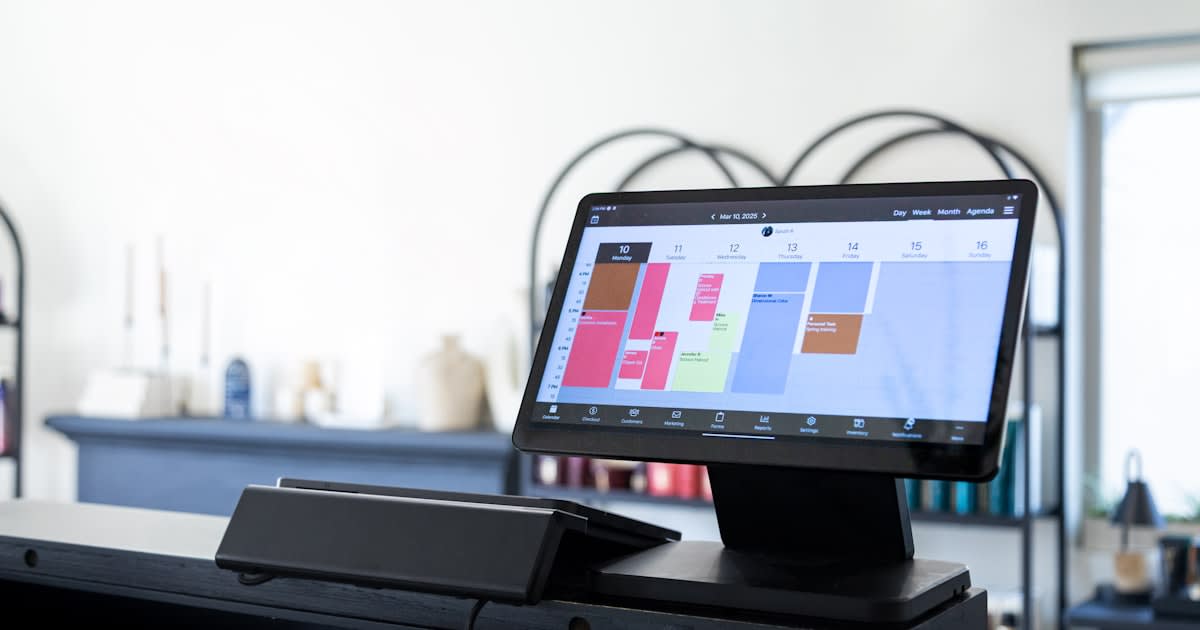
How to Automate Your Salon Bookings (Set It Up in One Weekend)
Most stylists spend more time on the booking process than on the booking itself. The DM that becomes a phone call that becomes a text that becomes a calendar block, multiplied by every appointment, every week. The fix is automation, and the whole thing can be set up in a single weekend.
This is a tool-agnostic walkthrough. The principles are the same whether you use GlossGenius, Booksy, Vagaro, Square, or a directory listing with included booking. By Monday morning your bookings, confirmations, reminders, deposits, and rebooking flow can all run themselves.
What does "automated bookings" actually mean for a salon?
The end state has six things running without you touching them:
- Self-serve booking: clients pick a time on a public link, 24/7.
- Auto-confirmation: a text or email fires the moment they book.
- Deposit or card on file: taken automatically at booking.
- Reminder chain: 48-hour, 24-hour, and same-day reminders.
- One-tap cancel/reschedule: clients can cancel without messaging you.
- Auto rebook prompt: a text 4 to 6 weeks after the visit.
Once these six are running, the time you spend on booking admin drops from hours per week to minutes.
What are the 3 levels of salon booking automation?
Pick the level you actually need. Most stylists default to Level 1 and stop there because Level 2 and 3 take more setup. The ROI of going further is real but only for owners losing time or money to no-shows and back-and-forth.
Level 1: Reminders Only
You still take bookings via DM or phone, but every booking triggers an automated confirmation and reminder text. This is the baseline. Most scheduling tools give you this for free; even a directory listing typically includes it.
Best for: Solo stylists with a small, loyal client base who don't want clients self-booking.
Level 2: Self-Serve Booking + Reminders
Clients book themselves on your booking page. Confirmations and reminders fire automatically. You step in only to handle exceptions.
Best for: Suite owners, stylists trying to fill chair gaps, anyone who wants to stop fielding "what times do you have?" texts.
Level 3: Full No-Touch Flow
Self-serve booking, automatic deposit charge, automated reminders, automated rebooking prompts, automated review requests, no-show fee auto-charged. The client and the system handle the entire lifecycle; you just show up to do the service.
Best for: Booth renters, suite owners, multi-stylist salons, anyone who treats their schedule as a business operation rather than a personal calendar.
How to Automate Salon Bookings: 5 Steps
Step 1: Pick the Right Tool for Your Level
For Level 1 (reminders only), almost any tool works, including a free directory listing with included booking.
For Level 2, options include GlossGenius, Booksy, Square Appointments, Fresha, or a directory listing with included scheduling. (See our honest comparison of 8 booking platforms if you're choosing.)
For Level 3, you'll want a paid tool like Vagaro, Booksy Biz, GlossGenius, or Mindbody depending on size, or a directory listing that includes deposit handling and rebook prompts. Pick whichever feels least painful to learn, switching costs are real and you don't want to redo this in six months.
Step 2: Set Up Your Service Menu the Right Way
Most automation problems trace back to a sloppy service menu. Get this right once and the rest works:
- List every service you offer with a clear name (no internal jargon).
- Set realistic durations including buffer time. If a balayage takes 3 hours, block 3.5.
- Set the actual price, not "starting from." Price ranges break self-serve booking.
- Specify which services require a consultation first (corrective color, extensions, etc.).
- Group by category so the booking page is scannable.
Step 3: Configure the Reminder Chain
The chain that works best for most salons:
- Confirmation: fired immediately on booking. Restate appointment time, service, location, deposit/policy.
- 48-hour reminder: includes a one-tap reschedule link. Most polite cancellations happen here.
- 24-hour reminder: asks for confirmation. Flag unconfirmed bookings for follow-up.
- 2-hour reminder: short, friendly. Final acknowledgment before the slot.
- Post-appointment thank-you: includes a one-tap review request and a rebook prompt.
Set this up once in your tool. It runs forever afterward.
Step 4: Add Deposits or a Card-on-File Policy
This is the single biggest no-show reducer. The mechanic is simple: any booking requires a deposit (typically 25 to 50 percent) or a card kept on file with a clear no-show fee policy. Configure it as a hard requirement at booking, not an optional checkbox.
If your tool can't enforce this at booking, that's the tool's biggest gap. Either upgrade or move to one that handles it natively. Most modern booking tools and directory-with-booking listings include this.
Step 5: Test the Full Flow Yourself
Before you flip it live, book yourself a fake appointment. Walk through the entire flow as a client would:
- Did the booking page show your real availability?
- Did the deposit charge correctly?
- Did the confirmation text fire instantly?
- Did the 48-hour reminder text actually arrive?
- Did the cancel/reschedule link work?
- Did the post-appointment review request fire?
Fix anything broken before sharing the booking link with real clients. A broken automation chain is worse than no automation chain, clients lose trust fast.
What does a realistic weekend rollout timeline look like for salon booking automation?
Saturday Morning (2 hours)
- Pick your tool
- Sign up and complete basic account setup
- Upload logo, set business hours, payment method
Saturday Afternoon (2 hours)
- Build out the service menu (every service, duration, price)
- Set buffer time and any consultation requirements
- Configure deposit/cancellation policy
Sunday Morning (2 hours)
- Configure the full reminder chain (confirmation, 48-hour, 24-hour, 2-hour, post-appointment)
- Set up the cancel/reschedule one-tap link
- Set up the auto-review request
Sunday Afternoon (1 hour)
- Run a complete test booking on yourself
- Fix anything broken
- Update your booking link in Instagram bio, Google Business Profile, website, and any directory listings
Monday (15 minutes)
- Send a "we've upgraded our booking" text to existing clients with the new link
- Field any questions, then let it run
What is the trap of half-automation that stalls most salon booking setups?
The most common mistake is automating half the chain. Self-serve booking with no reminder chain still gets you no-shows. Reminders with no deposit policy still gets you no-shows. The pieces compound, each one alone gives you maybe 20% improvement, but stacked together they typically take a 10% no-show rate down to 1 to 3%.
Set up the whole chain in one weekend. The marginal effort to add the deposit step or the rebook prompt is small once you're already in the tool.
Frequently Asked Questions
Can salon bookings be automated?
Yes, fully. Modern scheduling tools and directory-with-booking listings can automate the entire chain: self-serve booking, deposit collection, multi-stage reminders, one-tap cancellation, no-show fee enforcement, automated review requests, and rebooking prompts. The whole system can be configured in one weekend by a solo stylist.
What is the easiest way to automate salon appointments?
For most solo stylists and small salons, the lowest-friction path is a directory listing that includes booking and reminder automation as part of the listing. Setup is built into the listing, so the system goes live the moment your listing is approved. For owners who want a standalone tool, GlossGenius and Square Appointments are the most beginner-friendly.
How do I send automatic salon reminders?
Reminders are configured inside your scheduling tool. The standard chain is a confirmation at booking, a 48-hour reminder with a reschedule link, a 24-hour reminder asking for confirmation, and a 2-hour same-day reminder. Most tools (and most directory-included booking systems) ship with a default reminder chain that you can customize.
How long does it take to set up booking automation?
For a solo stylist with a typical service menu, the entire setup (tool sign-up, service menu, deposit policy, reminder chain, test booking) takes 6 to 8 hours of focused work. Most owners spread it across a weekend. Multi-staff salons usually need an extra day for staff schedules and per-stylist services.
Will automated reminders annoy clients?
Configured well, no. The chain above (confirmation + 48hr + 24hr + 2hr + thank-you) is what most clients now expect. Tone matters: keep messages short, friendly, and on-brand, and always include the one-tap reschedule link. Clients usually thank you for the reminders, especially the same-day one.
The Easiest Path If You're Starting From Scratch
If you're starting with no scheduling tool at all and you're a solo stylist, suite owner, or single-location salon, the lowest-friction path is to claim a free listing on a directory that includes booking and reminder automation as part of the listing. A free listing on The Local Gem puts your business in front of clients searching for beauty services in your city, and the included booking handles confirmations, deposits, reminders, and the rebook flow without separate setup. You get visibility and the full automation chain in one move, with no monthly fee on the base listing.
If you outgrow it later (multi-location, advanced reporting, payroll), you can always layer a heavier tool on top. The first version of automation should be the simplest version that solves the problem.